🔥 Black Week: Free 2 m upgrade for all 6 mm variants 🎁 WELCOME10: 10% off C50 and P91. Conditions apply. 🔥 Black Week: Free 2 m upgrade for all 6 mm variants 🎁 WELCOME10: 10% off C50 and P91. Conditions apply.
E330 USB-C SMARTPHONE ENDOSCOPE Live phone viewing for close-range inspection

Turn Your Phone into a Professional Inspection Tool in Seconds.

5/5 by 8 people

USB-C endoscope camera for close-range smartphone inspection.

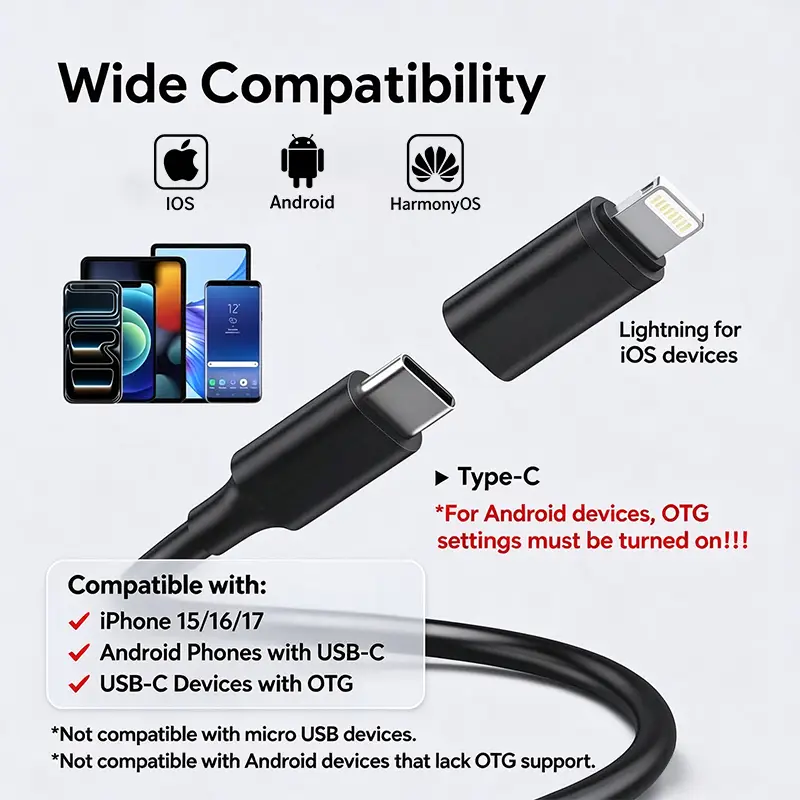
  • USB-C connection for compatible smartphones
  • 640 × 480 live viewing with photo and video capture
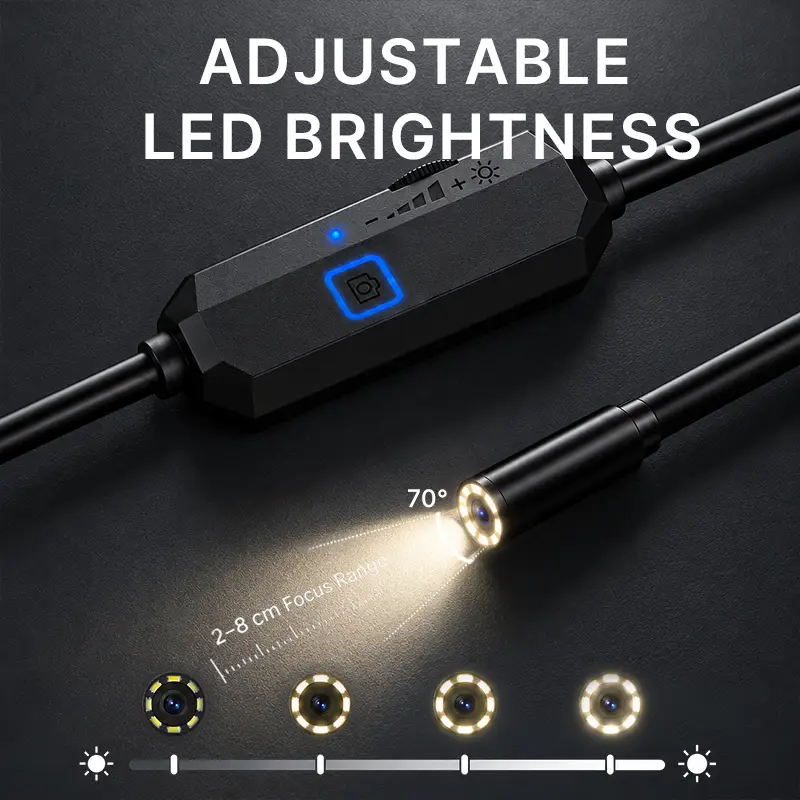
  • 8 adjustable LEDs with a 2–8 cm focus range
  • IP67-rated camera head and semi-rigid cable
Probe Diameter: 8mm
Cable Length: 2m
Subtotal $265.00 USD $145.00 USD
  • 30-Day Money-Back Guarantee
  • Free Shipping
  • 12-Month Warranty
SSL Encrypted & Safe – Shop with confidence.
Specs at a Glance
Resolution

640 × 480 live viewing

Camera head

8.0 mm lens diameter with a 72° viewing angle

Focus & light

2–8 cm focus distance with 8 adjustable LEDs

Photo & video

JPEG photo and AVI video capture

Probe & Reach
Cable

Semi-rigid cable for controlled positioning during inspection

Camera protection

IP67-rated camera head

Cable length

2 m or 5 m semi-rigid cable, according to the selected option

How do I confirm which configuration I will receive?

Use the diameter and cable combination shown in the product selector. Read any upgrade conditions in the purchase area and check the selected option before ordering. Not every combination is available.

Smartphone Setup
Connection

USB-C connection for compatible smartphones

Compatibility

iOS, Android and HarmonyOS compatible devices

Use

Connect, open the compatible app, then inspect and capture

Safety & Operating Limits
Water resistance

IP67 protection applies to the camera head only

Keep dry

Keep the USB-C connector and phone dry during use

Intended use

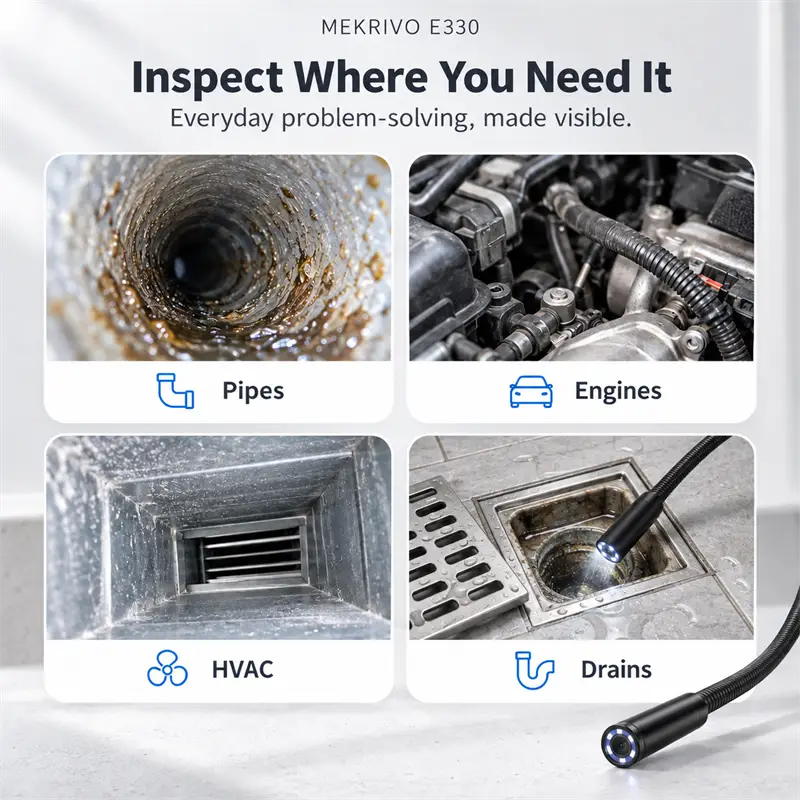
For visual inspection of hard-to-reach spaces; not for medical or human-body use

Compatibility & Setup
Which devices can I use?

Use the E330 with compatible iOS, Android or HarmonyOS devices.

How do I start?

Download the compatible app, connect the endoscope, then view, capture photos or record video.

What connection does it use?

USB-C connection.

Where can I compare models and get help?

Use the inspection camera guide linked below to compare C50, P91 and E330. The product-page instructions cover setup and care. Contact Mekrivo if your device or inspection task needs clarification.

Technical Specs
Specification Details
Resolution640 × 480
Lens Diameter8.0 mm
View Angle72°
Focus Range2–8 cm
Lighting8 adjustable LEDs
Waterproof RatingIP67 camera head
ConnectionUSB Type-C
Photo FormatJPEG
Video FormatAVI
Cable2 m or 5 m semi-rigid cable, according to the selected option
Cable Length2 m / 5 m, selected option
CompatibilityCompatible iOS, Android and HarmonyOS devices
What Is In The Package

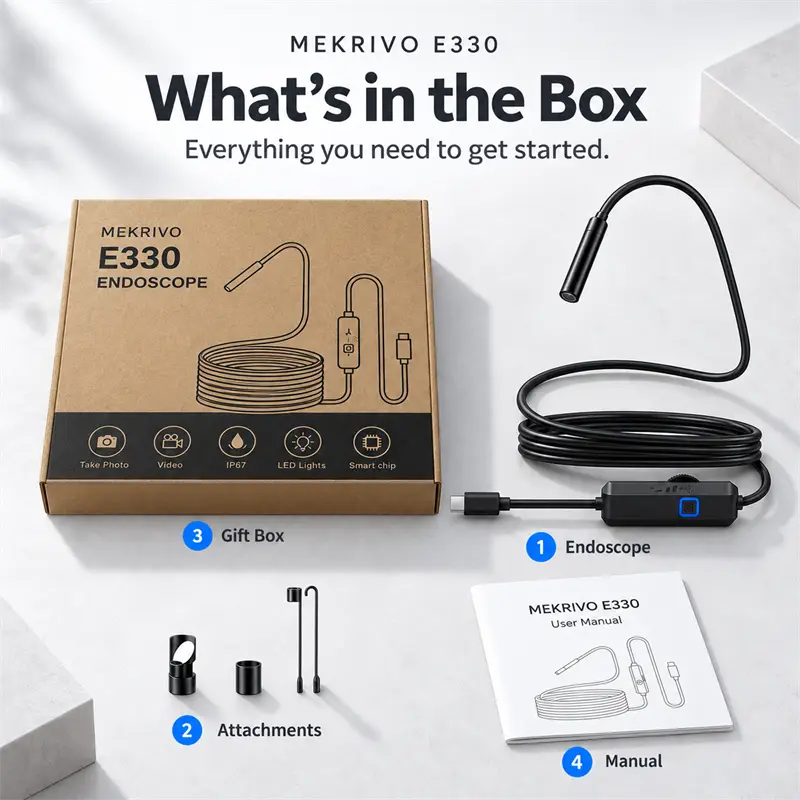
E330 endoscope camera

Magnet attachment

Hook attachment

Mirror attachment and user manual

Smartphone shown for demonstration only. Phone not included.

Product manual

Start with your phone.

Quick start

  • Install the LinkBack app on a compatible smartphone.
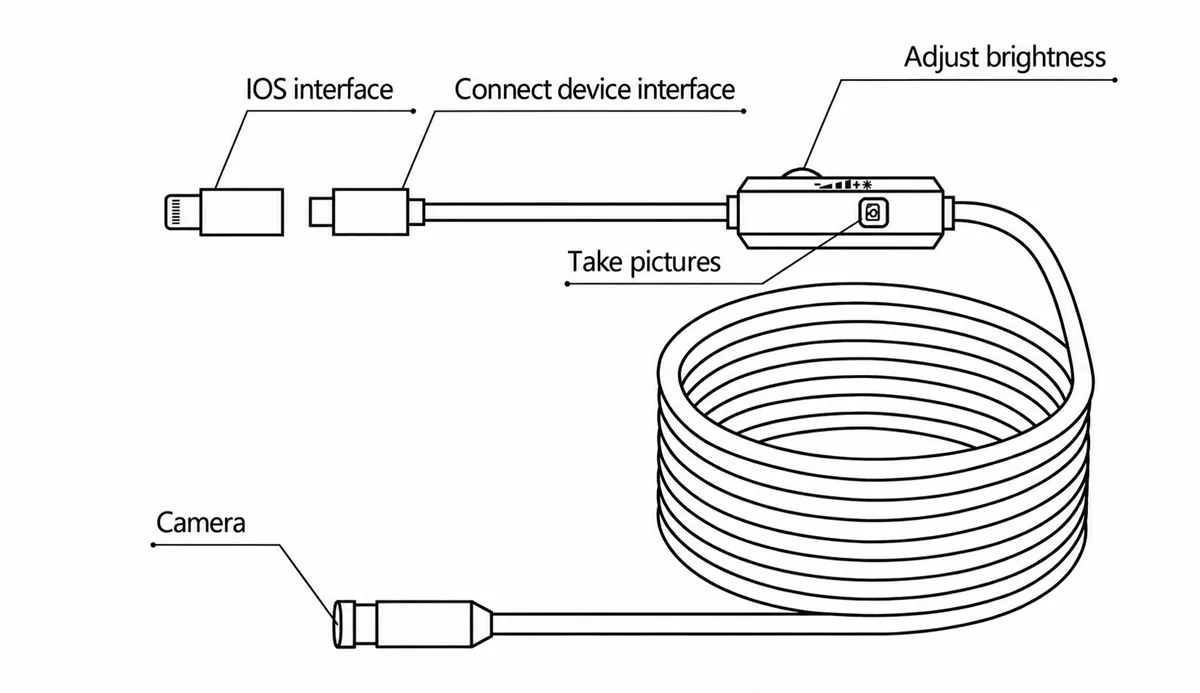
  • Connect the E330 to your phone with the matching connector.
  • Open the app and enter the endoscope view to inspect and capture images or video.

Supported systems

Compatible with iOS, Android and HarmonyOS.

1

Active chapter 1 of 7: Quick start.

Cart

loading